OIDC
OpenID Connect Authentication
ThreatGet offers support for OIDC authentication, allowing users to take advantage of Single Sign-On (SSO) within their existing identity infrastructure.
OIDC is an identity layer built on top of OAuth2. It allows users to log in using an external identity provider (IdP) such as Keycloak.
Required Environment Variables:
- OIDC_CLIENT_ID <clientId>
The registered client ID. - OIDC_ENABLED <true>
Indicates whether OIDC is enabled and displayed. - OIDC_ISSUER <issuerUrl>
The issuer URL. - OIDC_SCOPE <scope>
The requested scope. - OIDC_USER_USERNAME <username>
Specifies the username reference provided by the authentication system. - OIDC_CONNECT_SRC <'self' <authenticatorUrl>>
Allows connections only from the specified authenticator, for example https://authenticator.mydomain.com´.
Optional Environment Variables:
- OIDC_STRICT_DOCUMENT_VALIDATION <false>
A required boolean value when using OIDC with Azure.
These settings might be unnecessary if the environment already provides the required OIDC connection information
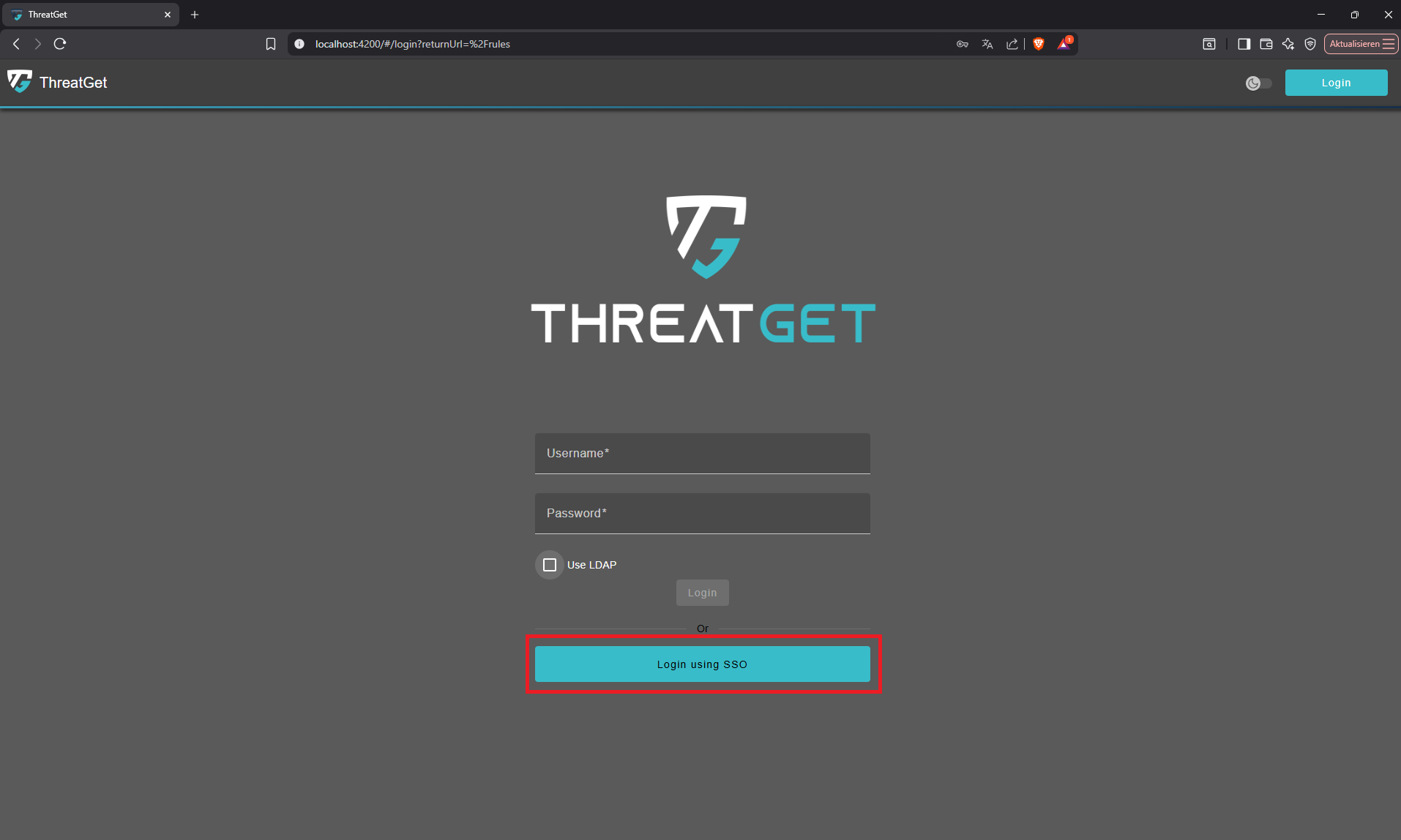
To enable OIDC functionality User can click on the 'Login via SSO' button.
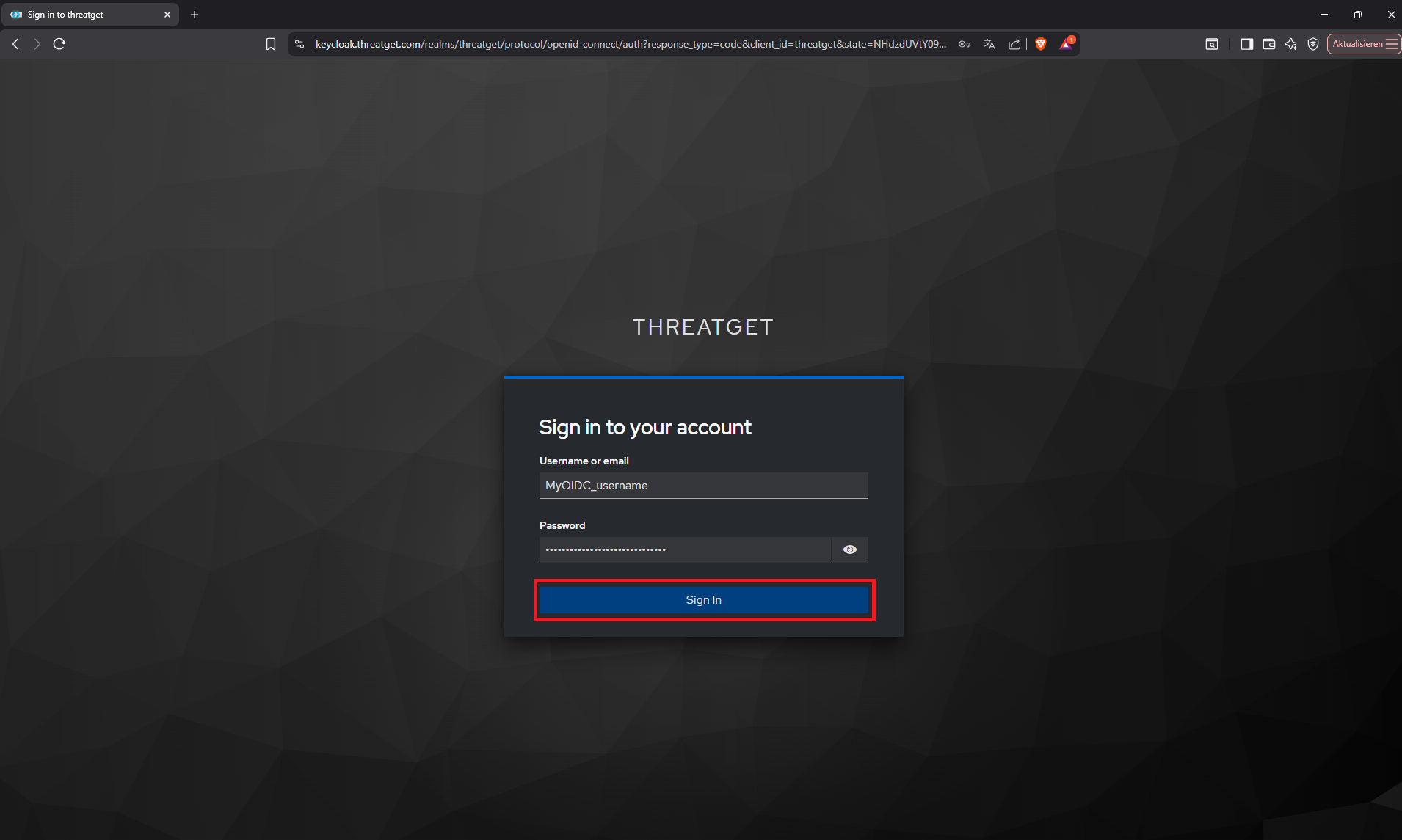
Users can provide their OIDC credentials here and select 'Sign In' to access their account.
Advantages
- Secure and modern authentication standard
- Supports Single Sign-On (SSO) across services
- Works well for cloud or hybrid environments
Disadvantages
- Requires a configured OIDC provider
- Initial setup may require coordination with identity/security teams