License Control
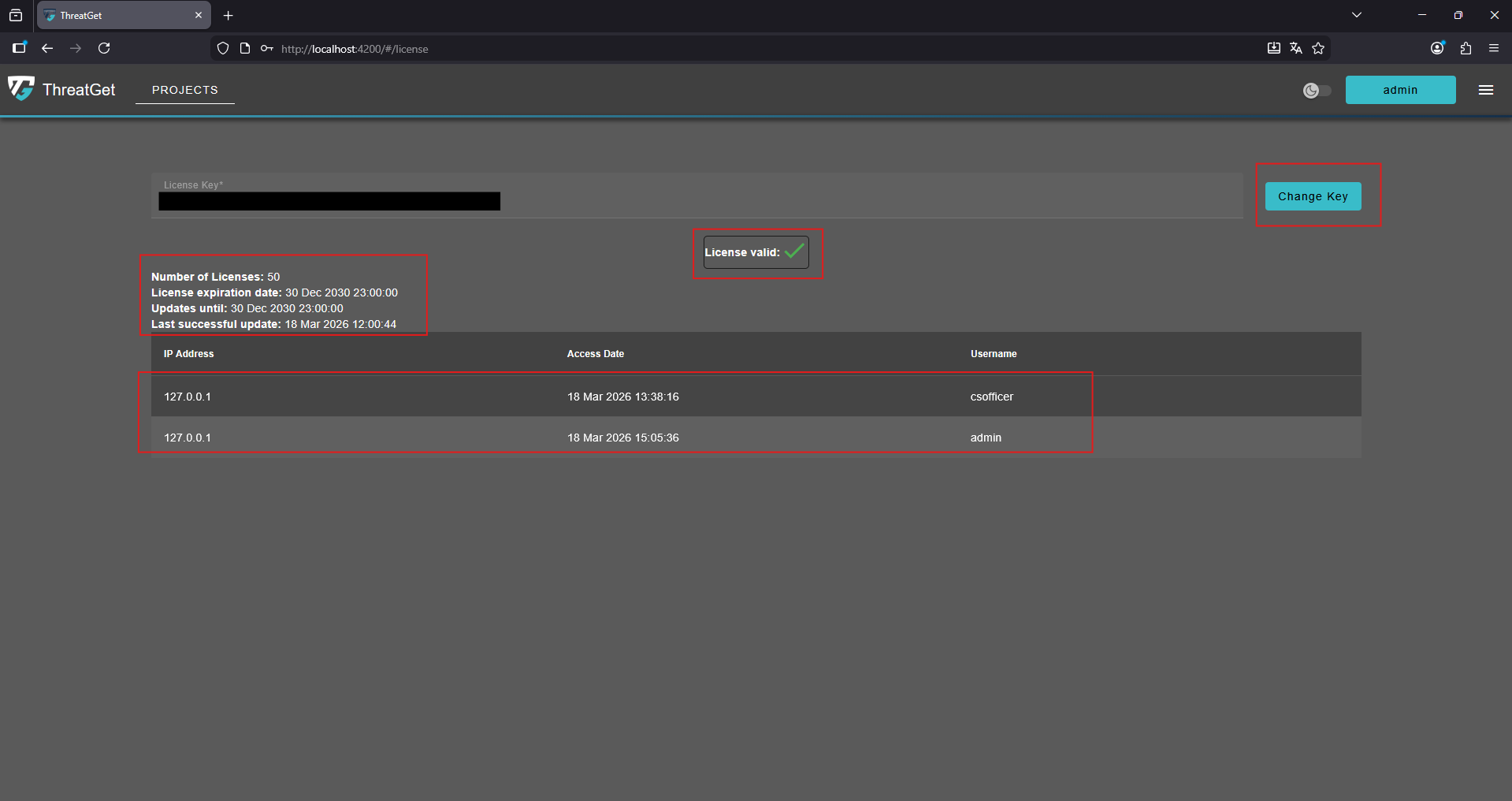
To view detailed information or make changes to the current license, you need to have an Admin role.
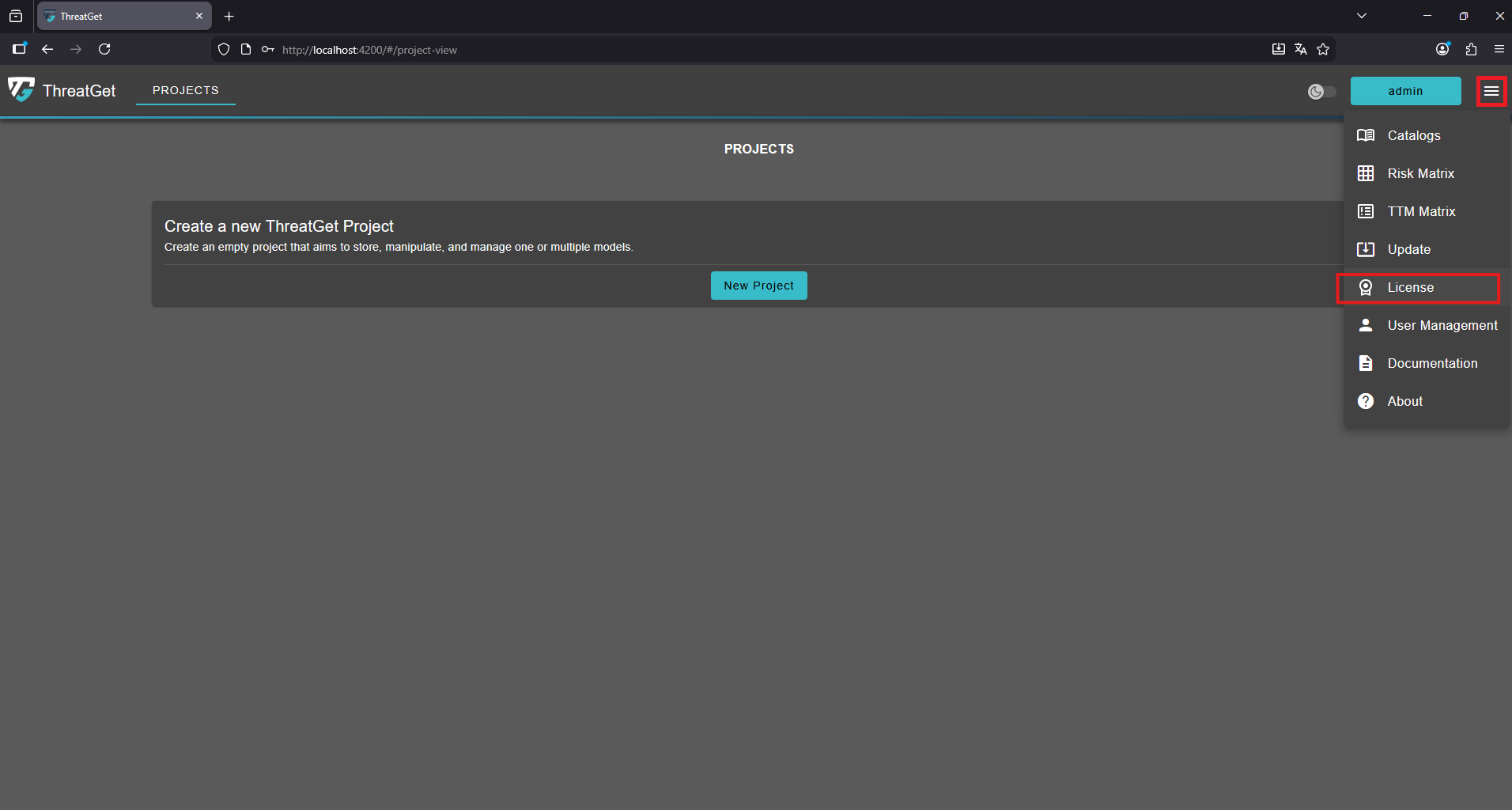
If you want to check how long your current license is still valid or update it with a new one, you can do this in the License section.
To access it, click the "Menu" button in the top-right corner and then select License from the dropdown menu.
This will open the License overview, where you can view all important information at a glance:
- Current status of your license
- Number of licenses available
- Expiration date
- Period covered by updates
- Date of the last successful update
- User access dates
If you want to change the license key, simply enter the new key and confirm by clicking the “Change Key” button.