Execute an Update
To load or execute updates, you need to have an Admin role.
If you have an active update subscription, AIT provides regular updates for your ThreatGet version. To download the newest versions of your subscribed ThreatGet catalogs, you first have to switch to the update overview.
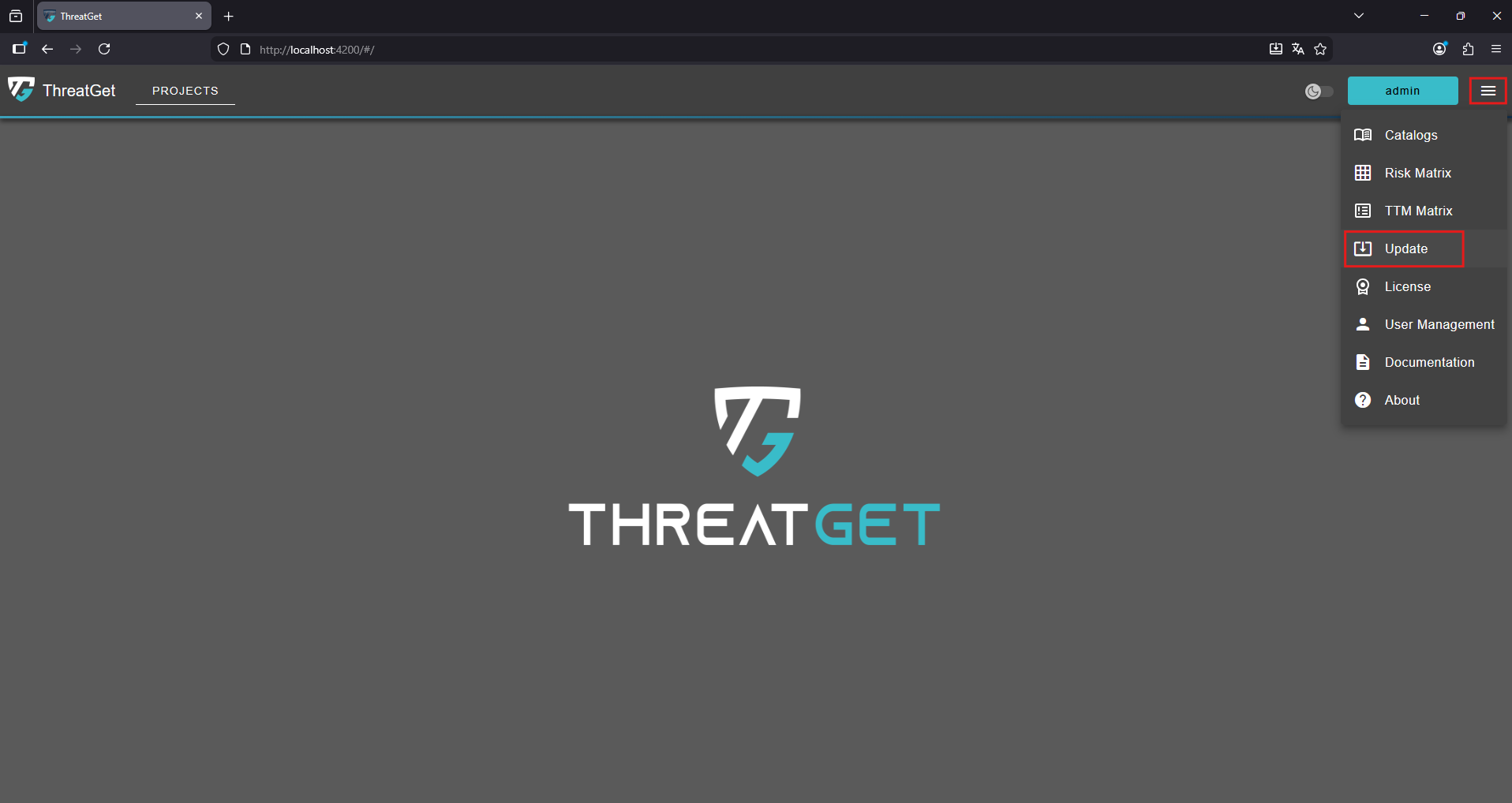
To access the update overview click the "Menu" button in the top-right corner and select Updates from the navigation menu.
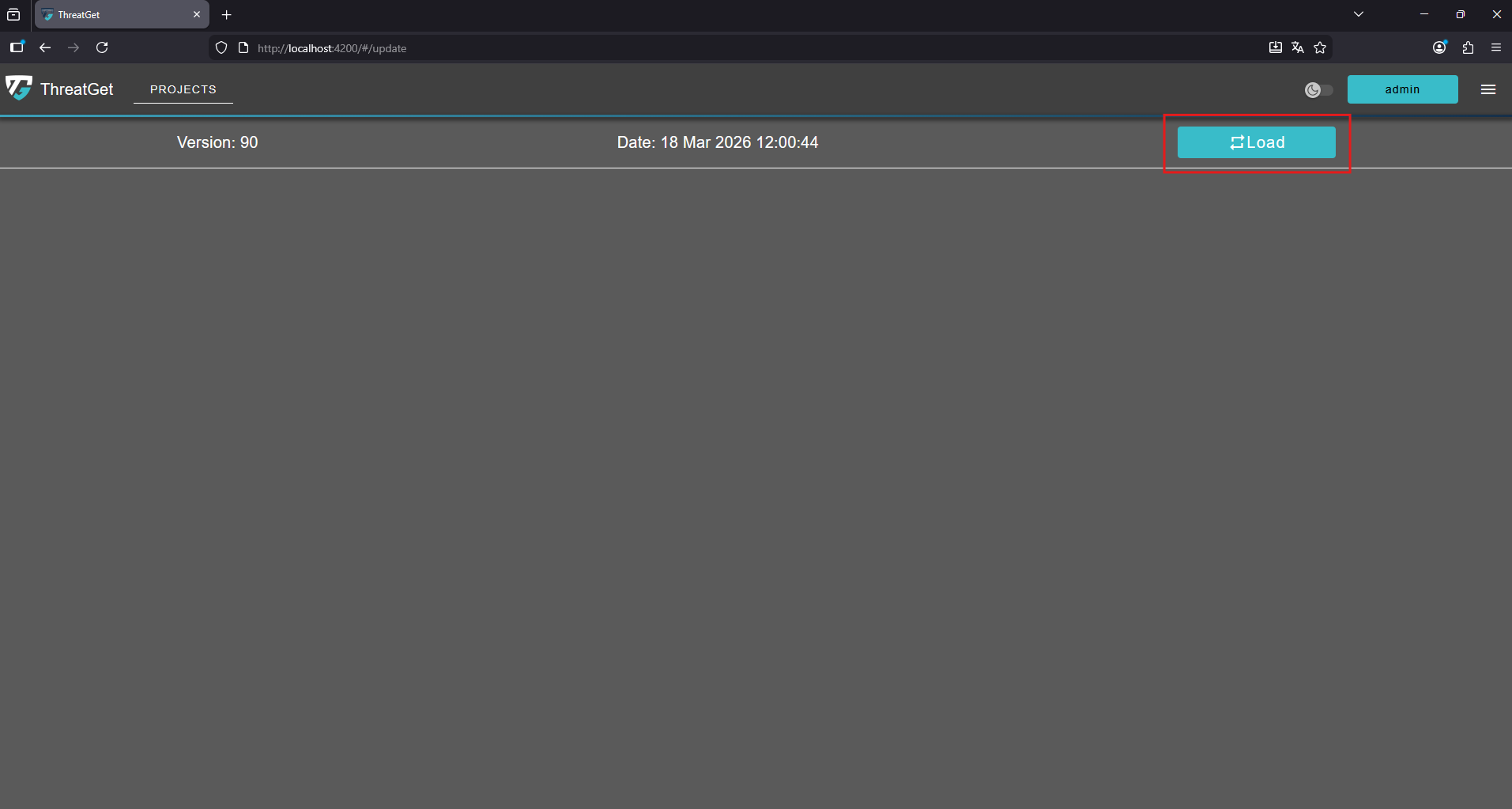
This opens up the Update overview. On top of the screen you can see the Version of the operating database and the Date of your last update. To check if there are new updates available click the Load button in the top-right corner.
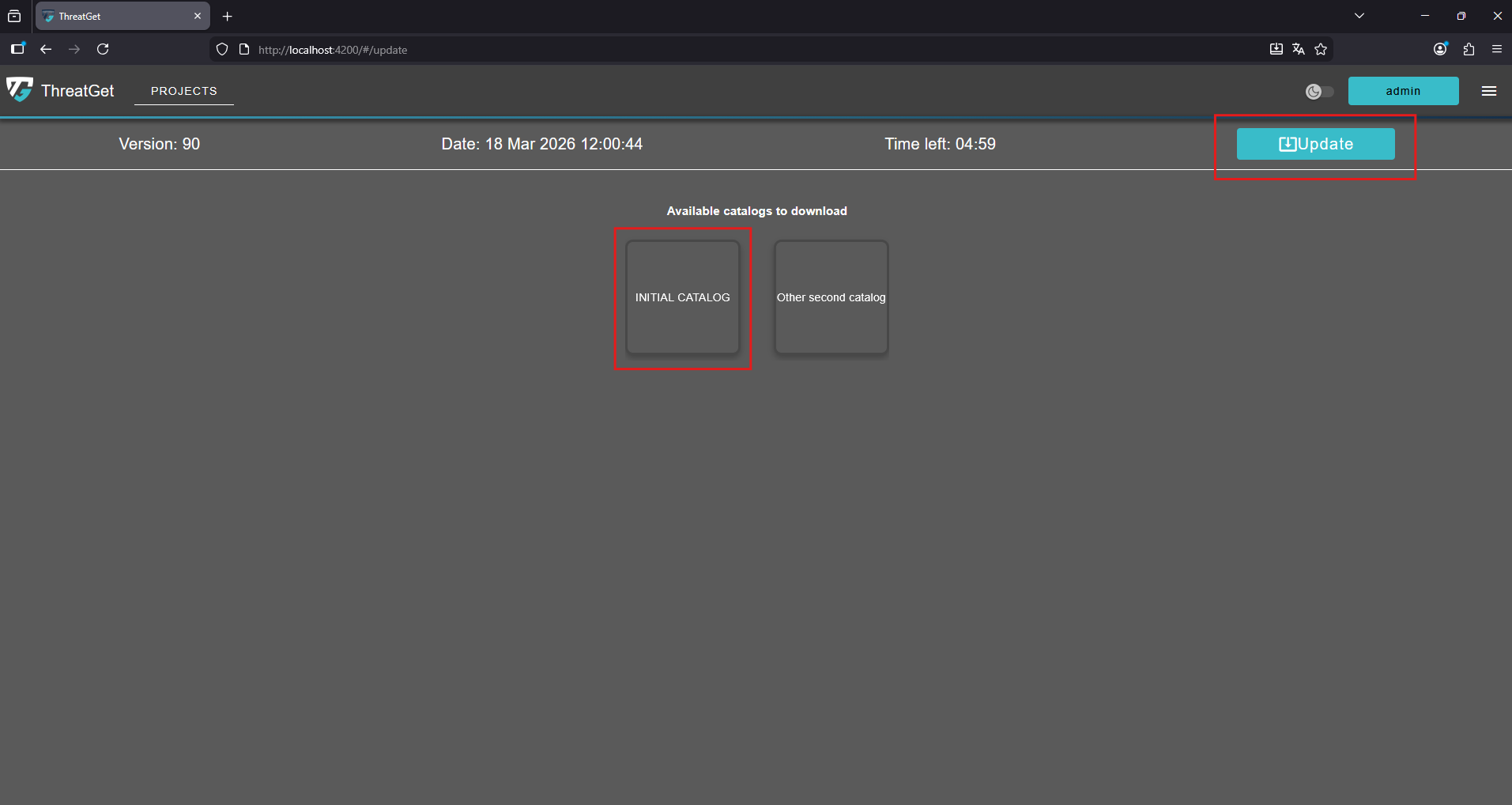
If new catalogs are available for download, they will be displayed here.
- To add them to your database, click the "Update" button in the top-right corner.
- To download an individual catalog, simply click on it directly.
If you do not have a valid license or an active update subscription, an error message will be shown.